Linutop OS
Optimized operating system
Turn a PC or Raspberry Pi into a digital signage or secure kiosk solution with a lightweight, reliable and energy-efficient system.
Key features
- Fast deployment
- Low maintenance
- Optimized 24/7


Broadcast and manage your content on all your screens, simply.
Software, playback devices and centralized management to deploy your screen network with total simplicity.

Optimized operating system
Turn a PC or Raspberry Pi into a digital signage or secure kiosk solution with a lightweight, reliable and energy-efficient system.
Digital signage player
Automatically broadcast your content on one or more screens with a reliable player built to run continuously.
Secure internet kiosk
Turn a PC or Raspberry Pi into an interactive terminal with a locked-down, secure web browser.
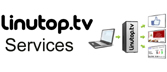
Centralized screen management
Manage all your players from a single interface, in the Cloud or on a private server.
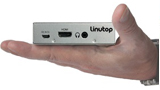
Compact, low-power player
Silent, ready-to-use mini PC for your digital signage projects.
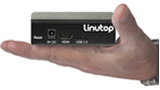
High-performance player
Professional mini PC designed for demanding installations.
Designed to ease access to digital signage technology, the software solution developed by Linutop allows simple, fluid and responsive use from content creation to on-screen display:
Visual communication, editorial approach, high tech... With Linutop's digital signage solution, you choose the presentation formats (photos, videos, PDF, web pages) to broadcast to your audience.
The user remains completely free to set their own communication schedule by creating broadcast loops according to their marketing and professional needs. Choice of frequency, timing and scenario configuration - the possibilities are wide thanks to Linutop's digital signage software.
Your content is transferred to the screen(s) instantly over a wired or WiFi internet connection, and you remain in full control to manage, administer and update your information in real time.

More than the broadcast of a simple image, digital signage enables animated and interactive visual formats that make it easier to capture the target audience's attention and help them absorb the message. Retail, industry, hospitality, catering, transport networks, cultural venues, healthcare facilities, local authorities and public administrations - every activity and every profession has a need to communicate. As digital has become essential in both our professional and personal ecosystems, digital signage stands out as the best alternative for communication with real impact.
Why choose the digital signage solution Linutop sells to professionals and individuals alike? Simply because our software solution brings you everything essential to broadcasting reactive, high-impact information, with many advantages:
With several years of experience publishing and distributing affordable digital signage solutions and Internet kiosks, the French company Linutop is the trusted partner of all companies, public and private, as well as individuals, who want to equip themselves with a high-performance software solution adapted to their digital and personalized communication needs.
Linutop's teams, developers, publishers and distributors share a single daily focus: meeting customers' needs with IT solutions that are affordable, reliable, secure and easy to maintain. Some of the biggest names in industry and retail have chosen to trust the digital signage solution developed by Linutop and continue to build their communication around our technology.
Want to buy an easy-to-use digital signage system for your school, restaurant, healthcare facility, shopping center or other workplace? Download our Raspberry Pi digital signage software for free, or our subscription-free pro version compatible with all screens, or contact us for a tailor-made digital signage solution.

